Starlit Print Studio
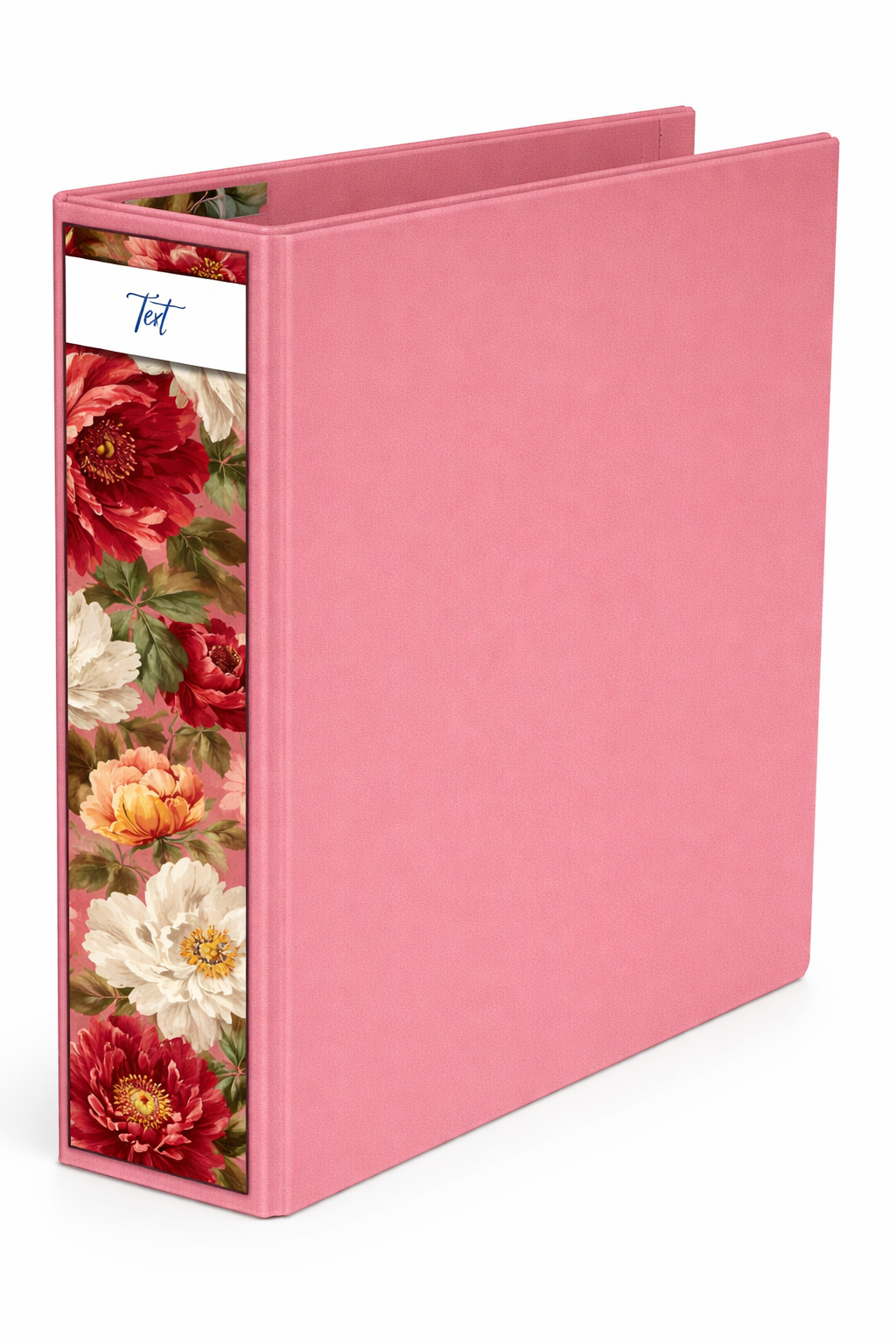
Imperial Bloom Binder Spine Cover
Imperial Bloom Binder Spine Cover
Couldn't load pickup availability
Transform your space in minutes — no waiting, no shipping.
✔ Instant download ✔ No shipping required✔ Print at home or professionally✔ Reuse unlimited times
Share
✨ Imperial Bloom Binder Spine Cover
Bring a sense of timeless elegance to your workspace with the Imperial Bloom Binder Spine Cover. Inspired by classic floral paintings, this design features rich peony blooms set against a soft blush backdrop — creating a look that feels both luxurious and effortlessly refined.
Perfect for transforming ordinary binders into statement pieces, this spine cover adds warmth, beauty, and cohesion to any shelf, office, or study space.
💕 What you’ll love:
- Fully editable in Canva (free account compatible)
- Fits standard binder sizes (1.5”, 2”, 3”)
- High-resolution design for crisp, professional printing
- Instant download — customize and print in minutes
- Elegant, vintage-inspired floral aesthetic
🌿 Perfect for:
- Curated home offices
- Stylish student organization
- Small business filing systems
- Creating a cohesive, aesthetic workspace
Turn everyday organization into something beautiful with Imperial Bloom — where functionality meets timeless design ✨
How to Use Your Whisper of Spring Binder Spine Cover (Canva Template)
-
Download Your File
After purchase, you’ll receive a PDF with a link to your Canva template. -
Open in Canva
Click the link and open the design in your Canva account (free or Pro). -
Customize Your Text
Edit the binder labels with your own titles—subjects, categories, or project names. -
Adjust Size if Needed
Easily resize the spine to fit your binder (A4, A5, or custom sizes) using Canva’s resize tool. -
Download Your Design
Once you're happy, download your file as a PDF Print for best quality. -
Print Your Spine Cover
Print at home or at a local print shop on high-quality paper or cardstock. -
Trim & Insert
Cut along the edges and slide the design into your binder spine sleeve.
✨ Tip: For the most polished look, use slightly thicker paper and ensure your printer is set to high-quality settings.